Connecting a device in ADB mode
Enable developer options in Android
- MIUI: Go to Settings > About device and tap ‘MIUI version’ seven times to enable developer options.
- Android One: Go to Settings > System > About device and tap ‘Build number’ seven times to enable developer options.
Enable USB debugging in Android
- MIUI: Go to Settings > Additional settings > Developer options and enable USB debugging.
In order to use the Screen density and Screen resolution modules, enable USB debugging (Security settings) as well. - Android One: Go to Settings > System > Developer options and enable USB debugging.
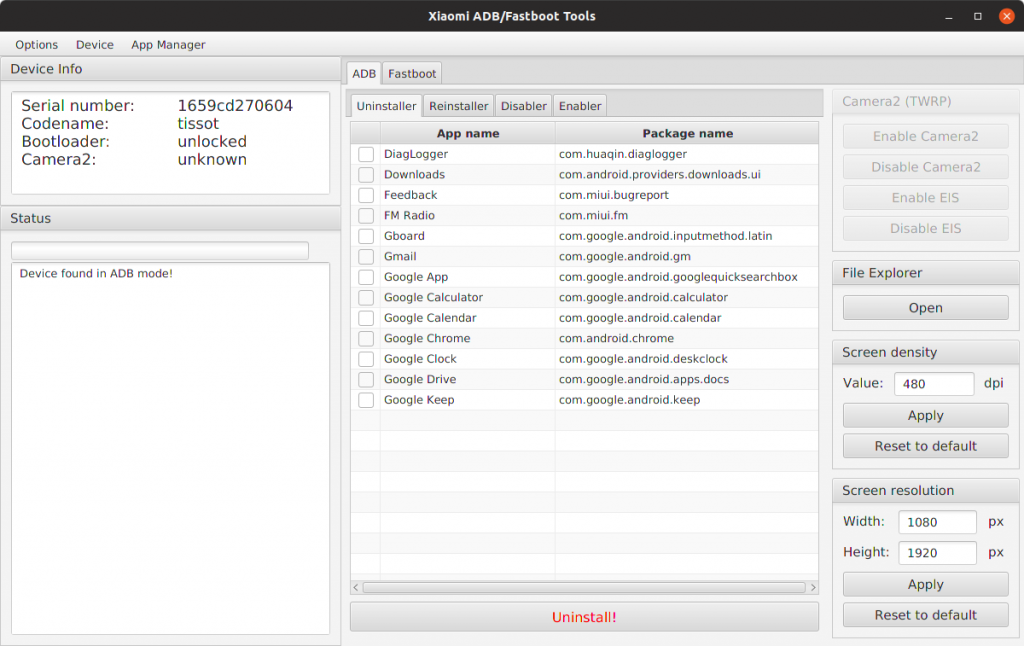
Uninstall Pre-installed apps
- Download & Install Java Development Kit (JDK)
- Connect your device to the computer and launch the application.
- The device is going to ask for authorisation, which you’ll have to allow.
- Wait for the application to detect your device. The device info should appear in the top left section.
- Select system apps and remove or disable the system apps.
